01 · NAVIGATE
Move through the conversation.
Speaker turns and timestamps make a long recording easier to scan than a single wall of text.
HiDock App turns a recorder capture into a time-linked, speaker-labeled transcript on your Mac. The result stays beside the source audio, where labels and important details can be reviewed.
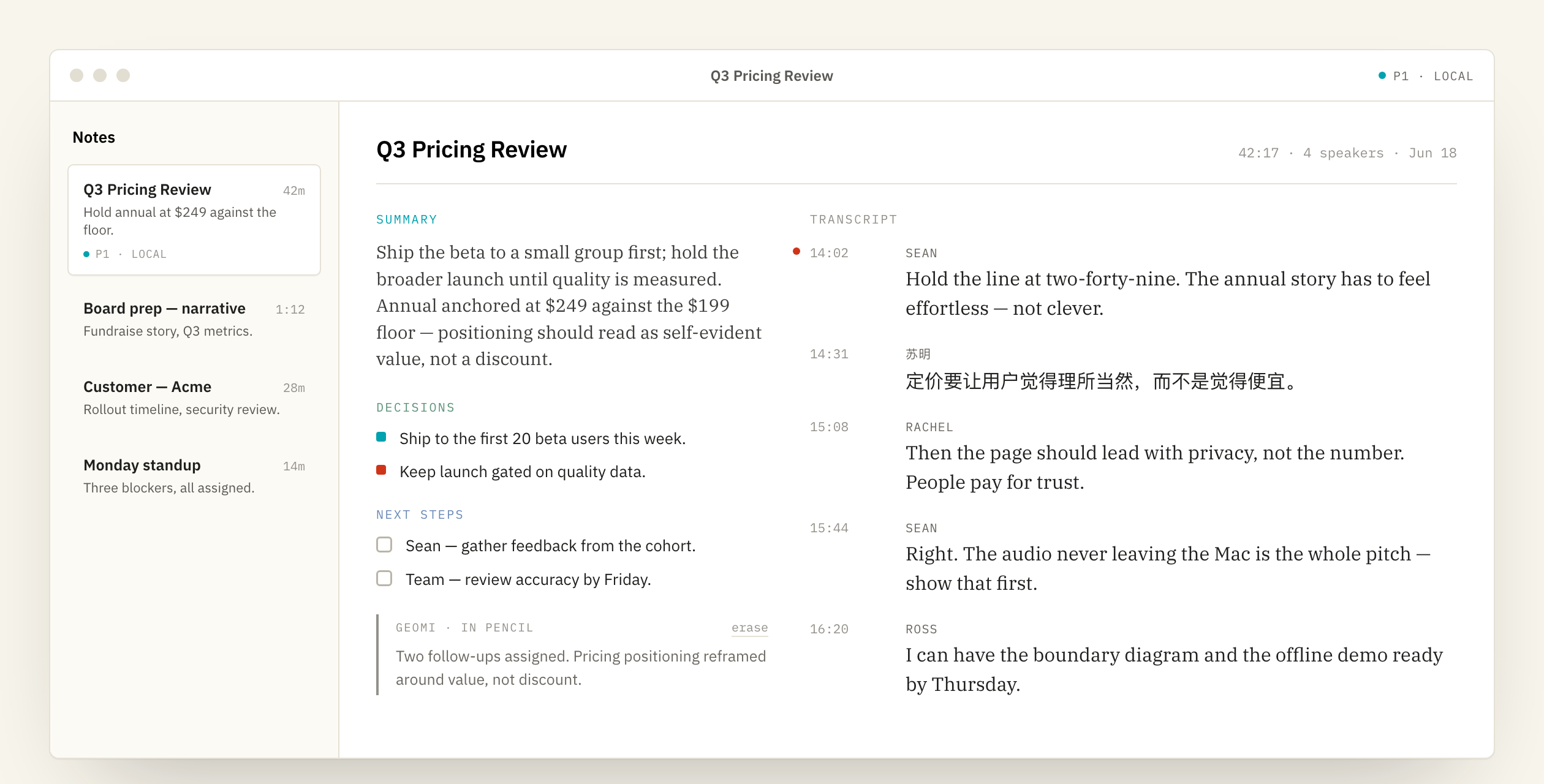
A meeting transcript has two separate jobs. It must turn speech into words, and it must distinguish one voice from another. HiDock App performs both steps locally for supported recordings.
Speaker labels organize the conversation into turns. They are not unquestionable identities. Review labels, rename them when necessary, and listen to the source recording when a decision depends on exactly who said what.
The same principle applies to words and timestamps. A clean interface does not make speech recognition perfect. Accents, overlapping voices, room noise, product names, and numbers can all create errors.
| Input | A supported recording captured by HiDock hardware. |
|---|---|
| Output | A time-linked transcript divided into speaker turns. |
| Where it runs | On the Apple-silicon Mac for the local transcription path. |
| What to review | Speaker names, numbers, product terms, dates, decisions, and commitments. |
| Why keep audio | The original recording lets you verify the transcript instead of trusting generated text in isolation. |
Speaker turns and timestamps make a long recording easier to scan than a single wall of text.
When a phrase looks wrong, the recording is still present so you can listen rather than guess.
The meeting note sits beside the words it summarizes, making omissions and mistakes easier to spot.
It separates voices into labels, but names should be reviewed and corrected. A speaker label is an aid, not identity proof.
Yes. Current releases support renaming speaker labels, so the transcript can reflect the people you actually recognize.
No universal accuracy claim is made. Local processing changes the data boundary; it does not guarantee better words in every room or language.
Check anything consequential: names, amounts, dates, technical terms, decisions, next steps, and who agreed to do what.
Try the current HiDock App alpha on a supported Mac.